TypeScript SDK Development: A 5-year-old could follow this step-by-step ~ Part 3, Making Test Apps
Make Test Apps for React, Common JS Node, ESM Node, and Browser
Helloooooooo!
Hope you're doing great! This is SMY! 👋 Let's Jump right in 🚀
This is Part 3 of our SDK development series where we will dive into creating test apps for react, browser, node, and legacy node.
Contents:
-
⚡
Setting up tsup for different execution environments -
⚡
Creating our apps
Step 1: Setting up tsup for different environments
At the root of the project create tsup.config.ts file, and paste the following content:
import { defineConfig } from "tsup";

export default defineConfig({
  clean: true,
  dts: true,
  entry: ["src/index.ts"],
  format: ["cjs", "esm", "iife"],
  minify: true,
});
clean - Clean the output directory before each build
dts - type definitions for TypeScript
entry - specifying the entry point
format - cjs for legacy, esm for newer node projects and iife for browsers
minify - minifies our code and reduces bundle size
No extra configuration is needed, as tsup will automatically look for this file and handle everything for us :)
Now exit and re-rerun build command
npm run build
You will see the following output in our dist folder
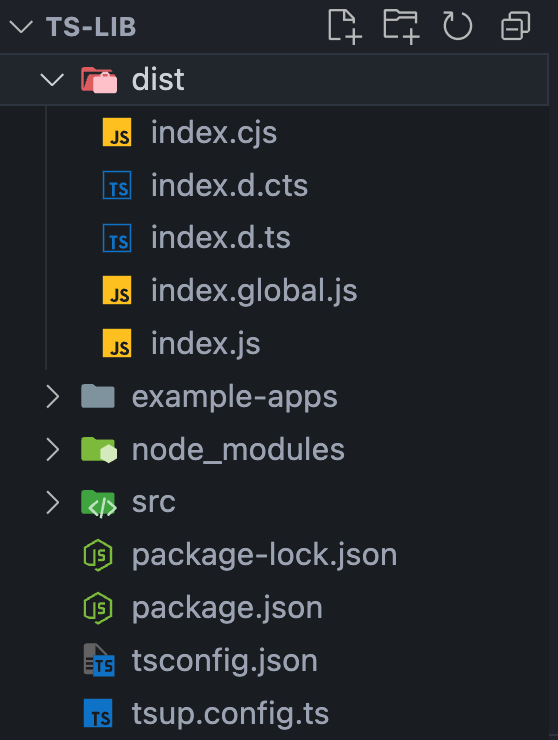
index.cjs - for CJS output
index.js - for ESM
index.global.js - for browsers
Step 2: Create a Node App
In example-apps/Node create a index.js file and paste the following content:
import sdk from "../../dist/index.js";

console.log(await sdk.fetchUsers());
Now run the file with a node in a separate terminal and head over to the folder:
node index.js
You will see the output in the terminal.
Step 3: Create a Legacy Node App
In example-apps/Legacy-Node create a index.cjs file and paste the following content:
const sdk = require("../../dist/index.cjs");

sdk.default.fetchUsers().then((users) => console.log(users));
Now run the file with a node in a separate terminal and head over to the folder:
node index.cjs
You will see the output in the terminal.
Step 4: Create a Browser App
In example-apps/Browser create a index.html file and paste the following content:
<!DOCTYPE html>
<html lang="en">
  <head>
    <meta charset="UTF-8" />
    <meta name="viewport" content="width=device-width, initial-scale=1.0" />
    <title>Document</title>
    <script src="../../dist/index.global.js"></script>
  </head>
  <body>
    This is a Test HTML

    <script>
      sdk.fetchUsers().then((users) => console.log(users));
    </script>
  </body>
</html>
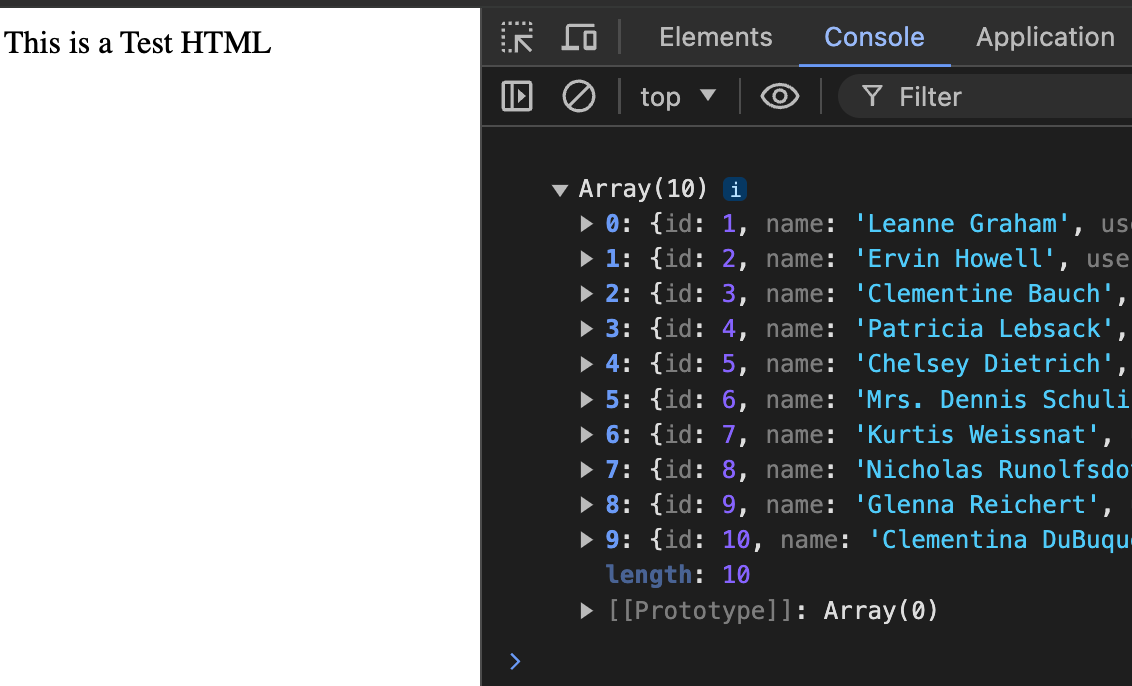
Open the file in the browser, you should see the following response in the inspect element's console tab:
Step 5: Create a React App
Create a Link to our SDK, to behave as a library for projects without publishing.
npm link
In example-apps create a react app, for example with vite:
npm create vite@latest
and following steps. After successfully creating a react app, run the following command in the React root folder to link our SDK.
npm link ts-lib
In place of ts-lib, it should be your SDK / Library name in the package.json
After creating the React app, open a component file like App.jsx and integrate SDK like the following:
import sdk from "ts-lib";

console.log(await sdk.fetchUsers());
Full view:
import { useState } from "react";
import reactLogo from "./assets/react.svg";
import viteLogo from "/vite.svg";
import "./App.css";
import sdk from "ts-lib";

console.log(await sdk.fetchUsers());

function App() {
  const [count, setCount] = useState(0);

  return (
    <>
      <div>
        <a href="https://vitejs.dev" target="_blank">
          <img src={viteLogo} className="logo" alt="Vite logo" />
        </a>
        <a href="https://react.dev" target="_blank">
          <img src={reactLogo} className="logo react" alt="React logo" />
        </a>
      </div>
      <h1>Vite + React</h1>
      <div className="card">
        <button onClick={() => setCount((count) => count + 1)}>
          count is {count}
        </button>
        <p>
          Edit <code>src/App.tsx</code> and save to test HMR
        </p>
      </div>
      <p className="read-the-docs">
        Click on the Vite and React logos to learn more
      </p>
    </>
  );
}

export default App;
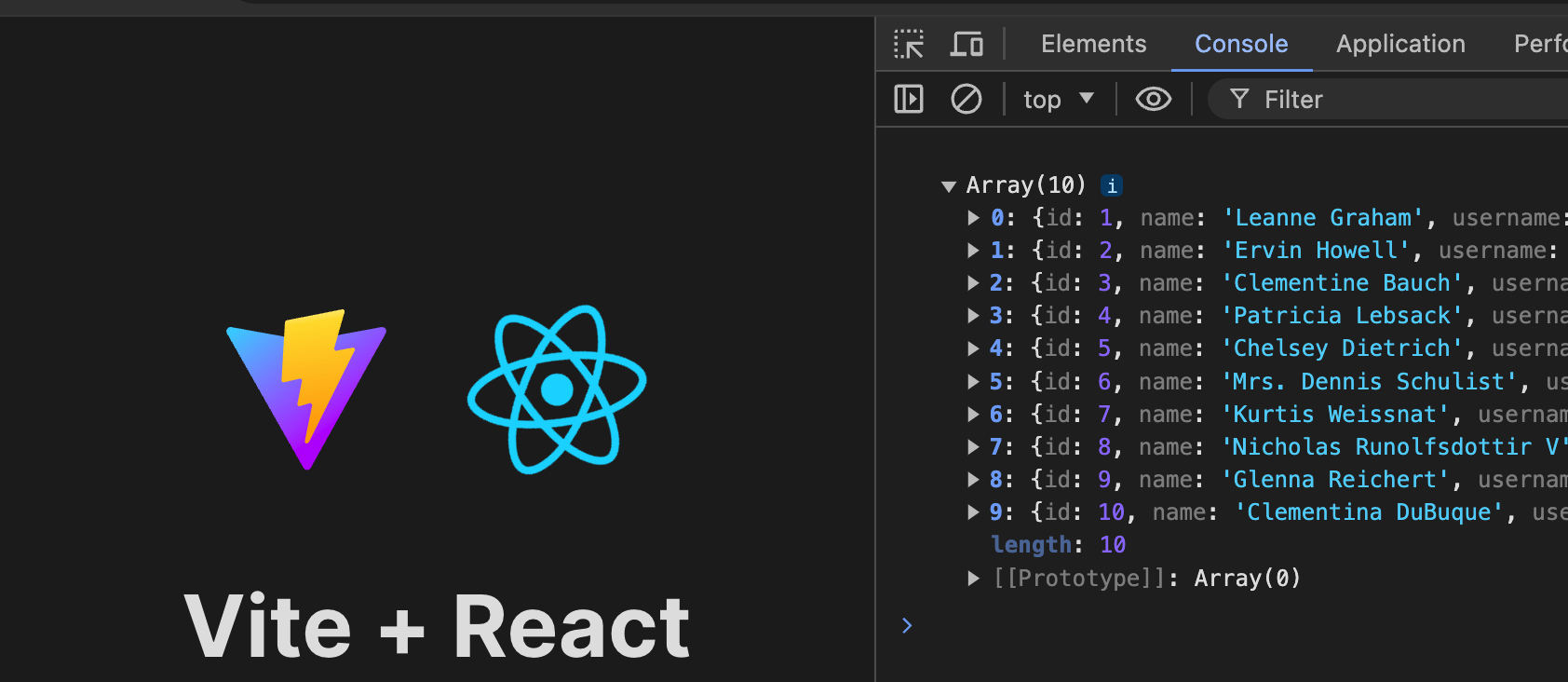
Run the react App, and head over to the console, it should look like the following:
Wrapping Up:
We Just completed the steps to build and run our SDK in different environments.
Head over to Part 4 to publish our SDK.
.....
Now you're equipped with knowledge to build your own SDK. Happy coding! 🚀
That's it, folks! hope it was a good read for you. Thank you! ✨
👉 Follow me